
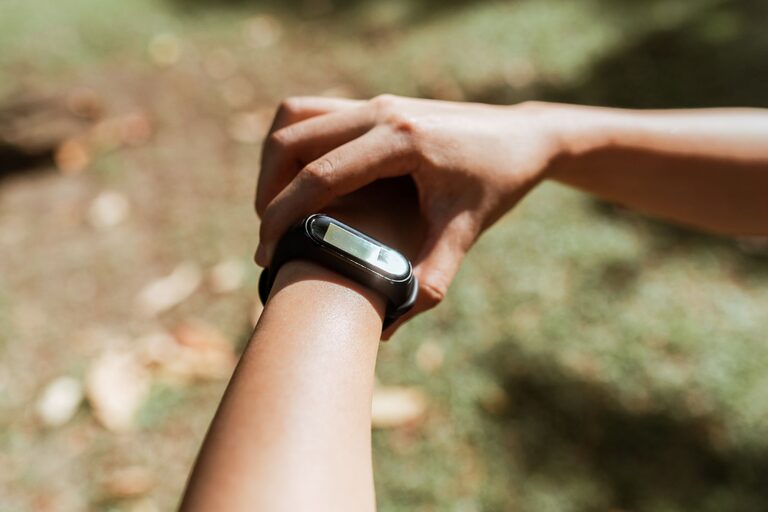
Fitness trackers can be useful tools at any age, but they can be especially helpful after 50. A tracker can turn everyday movement into simple, visible information. It may help you notice patterns, stay consistent, and set goals that fit your lifestyle.
The key is to use the device as a guide rather than a source of pressure. You do not need to chase every number or use every feature. A few well-chosen functions can provide plenty of value.
Start With Your Main Reason
Before buying or setting up a fitness tracker, decide what you want it to help you do. Your goal might be to:
– Take more walks
– Spend less time sitting
– Build a regular exercise routine
– Improve sleep habits
– Keep track of daily activity
– Stay accountable to a personal goal
– Learn more about your routines
Choosing one or two priorities makes the tracker easier to use. For example, if your main goal is to walk more, you may only need step counting, activity reminders, and a simple progress display.
If you want to understand your sleep schedule, look for a device with sleep tracking. If you enjoy organized workouts, features such as timers, GPS, or activity profiles may be useful.
Choose a Tracker That Fits Your Lifestyle
Fitness trackers come in many styles, from simple bands to smartwatches with large screens and numerous features. The best choice is the one you will feel comfortable wearing and checking.
Consider Ease of Use
Look for:
– A clear, readable display
– Simple menus
– Large text options
– Easy-to-use buttons or touch controls
– A companion app that is not confusing
– Straightforward charging instructions
A tracker with many features may sound appealing, but extra functions can make a device harder to manage. A simple tracker that you use regularly is often more useful than an advanced model that stays in a drawer.
Check Comfort and Fit
The tracker should feel comfortable during normal activities and overnight use if you want sleep information. Check the band material, size, weight, and adjustment options.
A loose band may move around and provide less consistent readings. A band that is too tight can become uncomfortable. Follow the manufacturer’s fitting guidance and adjust the band as needed.
Think About Battery Life
A longer battery life means fewer interruptions. If you do not want to charge the device every day, compare models that can run for several days between charges.
Create a regular charging habit, such as charging the tracker while getting ready for bed or during a daily meal. Check the instructions for safe charging and keep the charging cable in a convenient location.
Set Up Only the Features You Need
After connecting the tracker to your phone or tablet, take time to review the settings. Enter basic information accurately, such as age, height, and preferred units. These details can affect how the device estimates activity.
You may also be asked to set goals. Start with targets that are realistic for your current routine. A goal should encourage steady progress, not make ordinary days feel unsuccessful.
Useful setup steps include:
- Download the official companion app.
- Create an account if required.
- Pair the tracker with your phone.
- Set the correct time, date, and measurement units.
- Turn on only the notifications you want.
- Choose a daily activity goal.
- Wear the tracker consistently for the first week.
- Review the data before changing your goals.
Give yourself time to learn the device. It may take several days to understand what each symbol, score, or graph means.
Use Activity Data as a Guide
Steps are one of the easiest fitness tracker measurements to understand, but they are not the only type of movement that matters. Walking around the house, gardening, carrying groceries, climbing stairs, and doing household tasks may all contribute to an active day.
Instead of focusing only on a single daily number, look for patterns. Ask questions such as:
– Am I moving more on certain days?
– Which activities do I enjoy most?
– When do I tend to sit for long periods?
– What helps me stay active?
– Is my goal realistic for my schedule?
If your current routine is mostly sedentary, begin with small changes. Add a short walk, stand during a television commercial, take an extra lap around a store, or stretch gently after a period of sitting. Small actions can become lasting habits when repeated regularly.
Use Reminders Wisely
Many trackers can remind you to move after a period of inactivity. These reminders can be helpful, but they should fit your day.
You can adjust the timing, turn off reminders during meetings, or disable them on busy days. The purpose is to prompt a brief change in position or activity, not to interrupt everything you are doing.
Understand Workout Tracking
Most trackers offer activity modes for walking, cycling, swimming, strength training, or other exercises. These modes can record duration, distance, pace, or estimated energy use.
Use workout tracking when it helps you understand your routine. You do not need to start a separate session for every activity. For a casual walk, simply wearing the tracker may be enough. For a planned walk, starting a workout can provide more detailed information.
Remember that tracker readings are estimates. Different devices may produce different results, and measurements can be affected by fit, movement, location, and device settings. Use the information to compare your own patterns over time rather than treating every number as exact.
Review Sleep Information Carefully
Sleep tracking can show bedtime, wake time, and general sleep patterns. This information may help you notice whether your schedule is consistent.
Treat sleep data as a broad overview. Trackers cannot capture every detail of your night, and the results may change from one device or night to another. If checking sleep scores makes you anxious or causes you to focus too much on numbers, consider turning the feature off.
A simple sleep routine may be more valuable than a detailed graph. Try keeping regular bed and wake times, reducing late-night screen use, and creating a comfortable wind-down routine.
Protect Your Privacy
Fitness trackers collect personal information, so review the privacy settings before using the device. Read the company’s information about data collection, storage, and sharing.
Useful privacy steps include:
– Use a strong, unique account password
– Enable account security features when available
– Review which apps can access your data
– Turn off location tracking when you do not need it
– Avoid sharing activity information publicly unless you choose to
– Keep the tracker and companion app updated
You should feel in control of your information. If a feature is not useful to you, there is no need to enable it.
Build a Sustainable Routine
The best way to use a fitness tracker is to make it part of a simple routine. Check your progress at a consistent time, such as after breakfast or at the end of the day. Review weekly patterns instead of reacting to every daily change.
Celebrate practical progress:
– Taking regular walks
– Moving more during the day
– Returning to an activity after a break
– Finding an exercise you enjoy
– Meeting a realistic weekly goal
– Spending less time sitting
Avoid comparing your results with friends, online posts, or general targets. Your schedule, preferences, and starting point are your own.
When to Adjust or Take a Break
A tracker should support your routine, not control it. If you find yourself checking numbers constantly, feeling discouraged by missed goals, or changing enjoyable activities just to improve a score, simplify your approach.
You might turn off notifications, hide certain measurements, use the device only during walks, or take a short break. The goal is to build healthy, enjoyable habits that can continue over time.
A fitness tracker is most effective when it provides useful feedback without becoming a source of stress. Choose the features that fit your needs, set manageable goals, and use the information to make small, lasting improvements to everyday movement.